Why Veo AI Is a Game-Changer for Advertising
Video advertising has become the most powerful format in digital marketing, but traditional production is expensive, time-consuming, and often inaccessible to small and mid-sized businesses. Google’s Veo for Ads, accessed through Flow, changes that entirely by allowing advertisers to generate cinematic, high-quality video ads using advanced AI prompting techniques.
Veo is not just another text-to-video tool. It is a creative filmmaking system designed for advertisers who need speed, control, consistency, and scalability. From short-form social ads to polished product hero shots, Veo allows marketers to produce professional-grade video assets without cameras, crews, or post-production teams .
This guide explains how to use Veo AI Video Creation for Ads, how to structure prompts that convert, how to integrate products naturally, and how to optimize performance through A/B testing—while keeping everything aligned with modern advertising best practices.
What Is Veo for Ads?
Veo is Google’s most capable generative video model, explicitly designed for storytelling and advertising. Advertisers access Veo through Flow, an AI filmmaking platform built for creatives and marketers who need cinematic output with precise control over visuals, motion, and sound.
Unlike generic AI video tools, Veo allows users to:
- Control shot type, camera movement, style, lighting, and audio
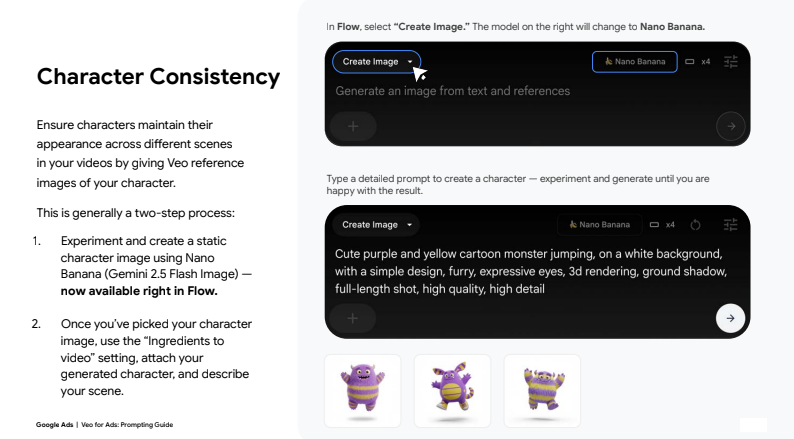
- Maintain character and product consistency
- Generate clips using text, images, or multiple reference assets
- Edit clips directly inside Flow using Scenebuilder
- Rapidly iterate variations for A/B testing
This makes Veo uniquely suited for performance advertising, brand storytelling, and creative experimentation at scale.
How Flow Works: The Foundation of Veo AI Video Ads
When you open Flow and start a project, you’re presented with a prompt box that serves as the command center for video creation. From here, advertisers can choose between multiple generation methods depending on their campaign needs .
Text-to-Video
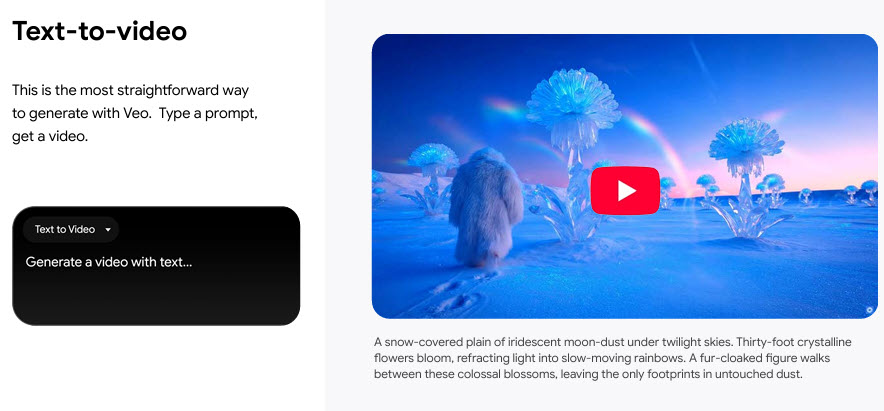
- Concept testing
- Brand storytelling
- Mood-driven ads
Frames-to-Video
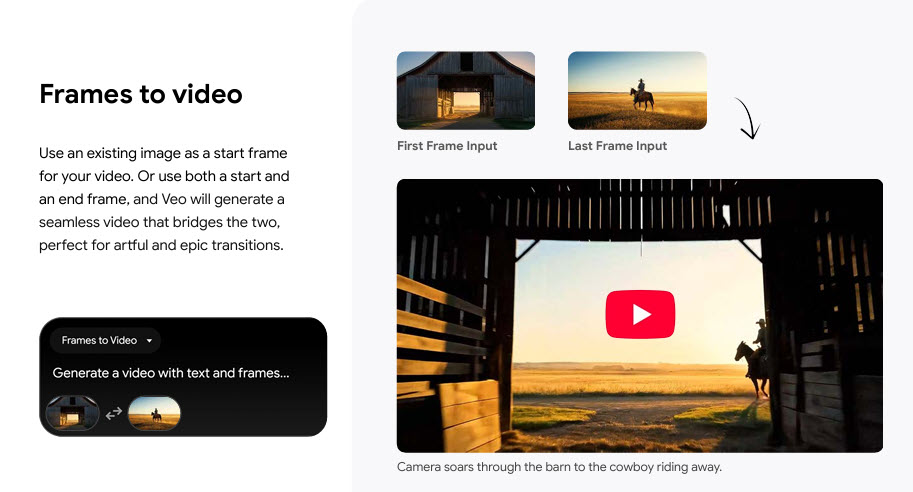
- Product reveals
- Transitions between scenes
- Stylized brand animations
Ingredients-to-Video
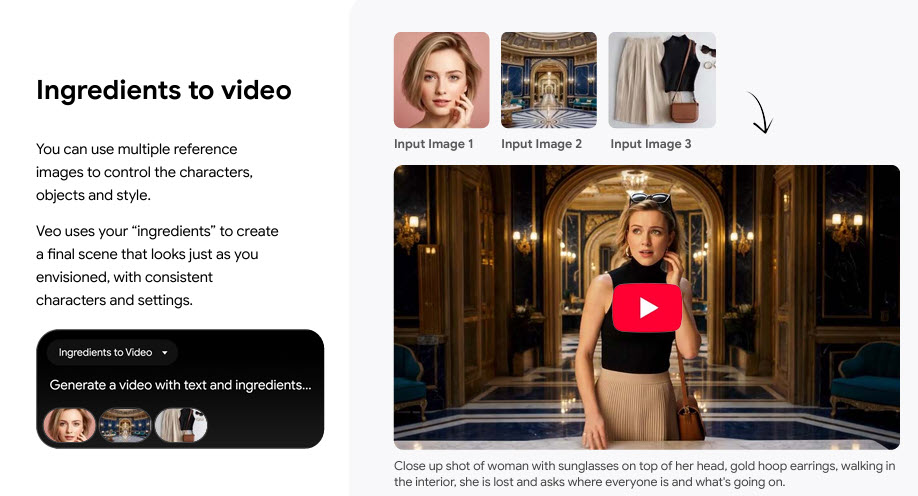
This is where Veo truly excels for advertisers. By uploading multiple reference images, you can control:
- Characters
- Products
- Environments
- Visual style
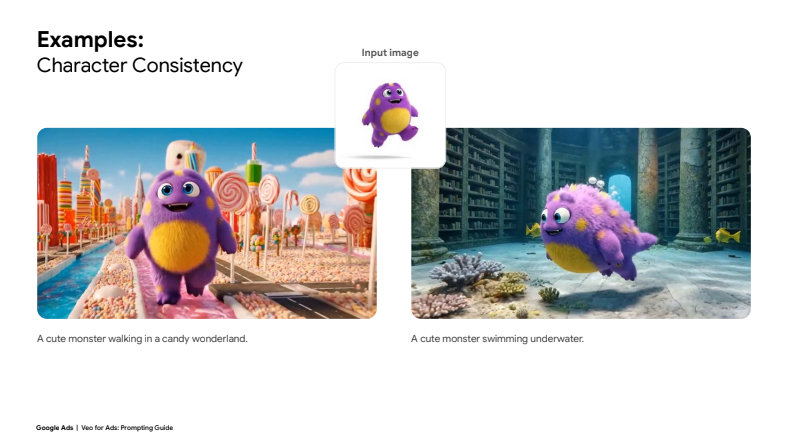
Ingredients-to-video ensures consistency, making it perfect for ads that require brand accuracy and repeatable results.
Editing and Assembling Ads Inside Flow
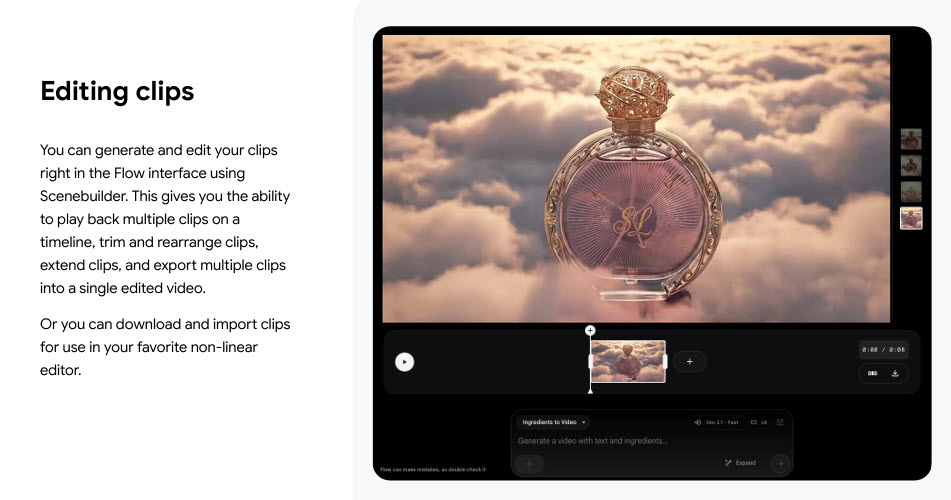
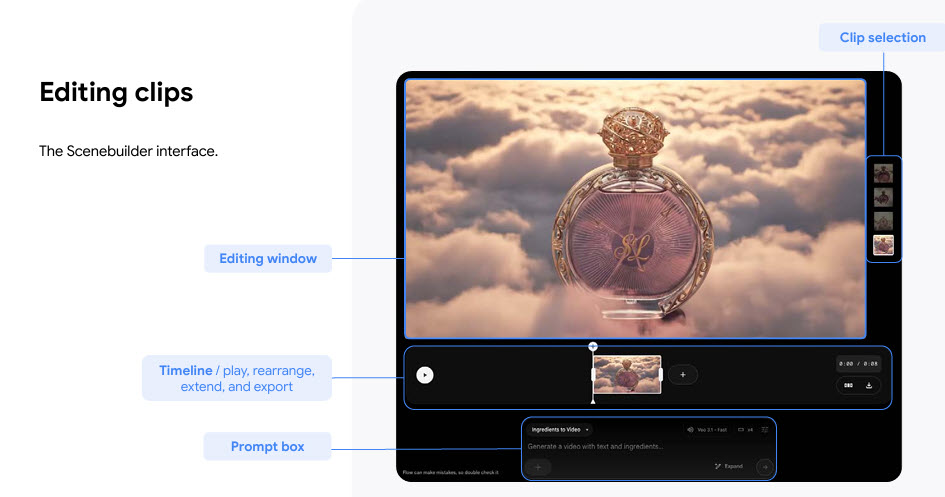
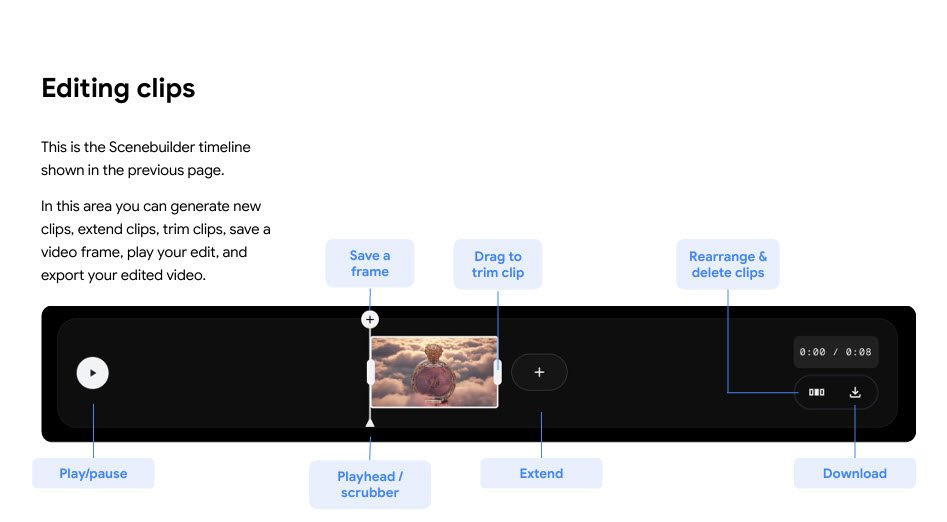
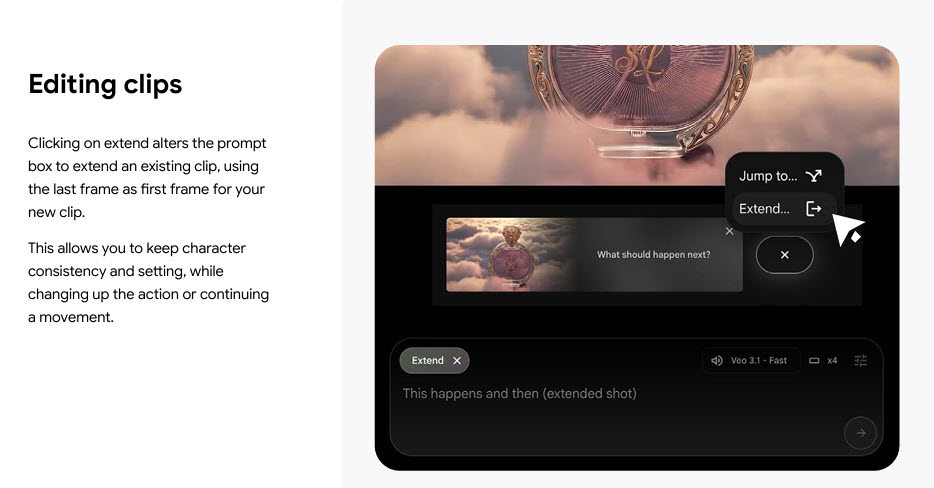
Once clips are generated, Flow’s Scenebuilder allows advertisers to:
- Play clips on a timeline
- Trim or extend scenes
- Rearrange sequences
- Export multiple clips as a single ad
This eliminates the need for external editing software and enables faster campaign deployment.
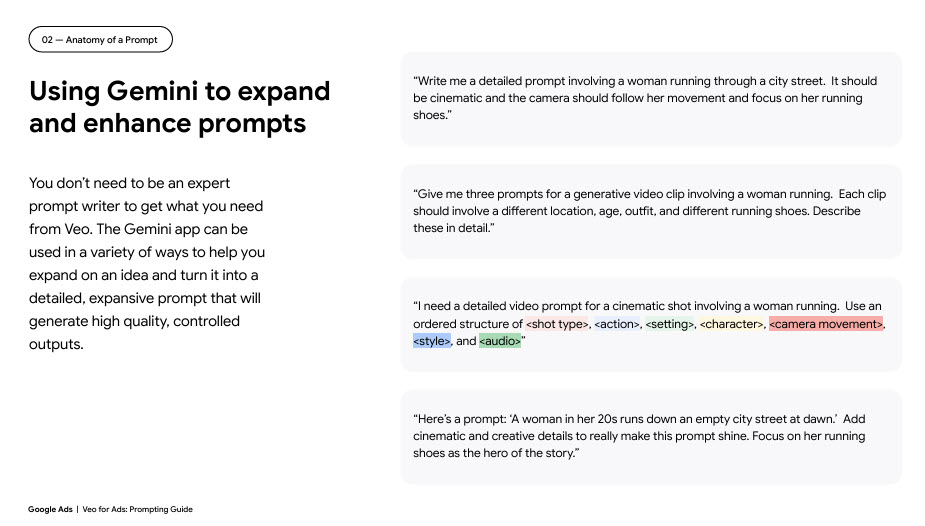
The Anatomy of a High-Converting Veo Ad Prompt
Successful Veo ads start with well-structured prompts. Google recommends building prompts using a clear, ordered framework that mirrors professional filmmaking language
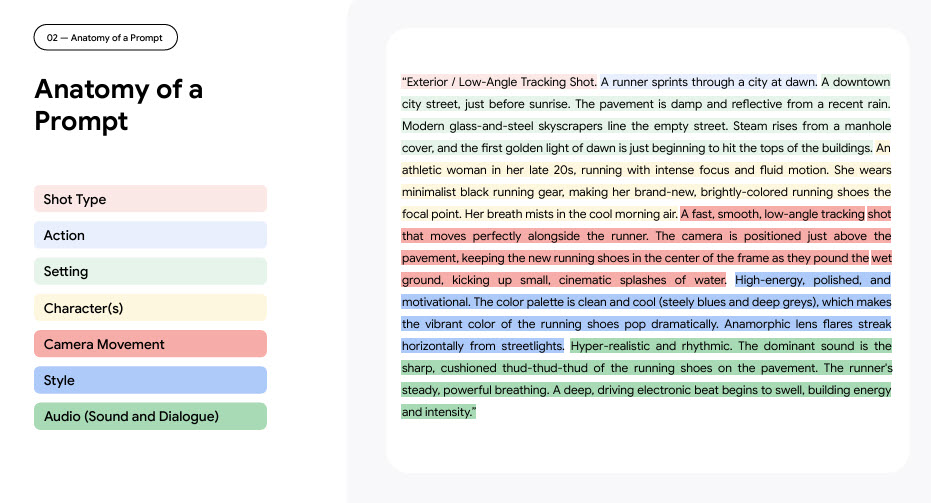
Core Prompt Components
- Shot Type
- Action
- Setting
- Character(s)
- Camera Movement
- Style
- Audio (Sound and Dialogue)
Each component gives Veo clarity, reduces randomness, and improves ad performance.
Shot Type: Setting the Visual Perspective
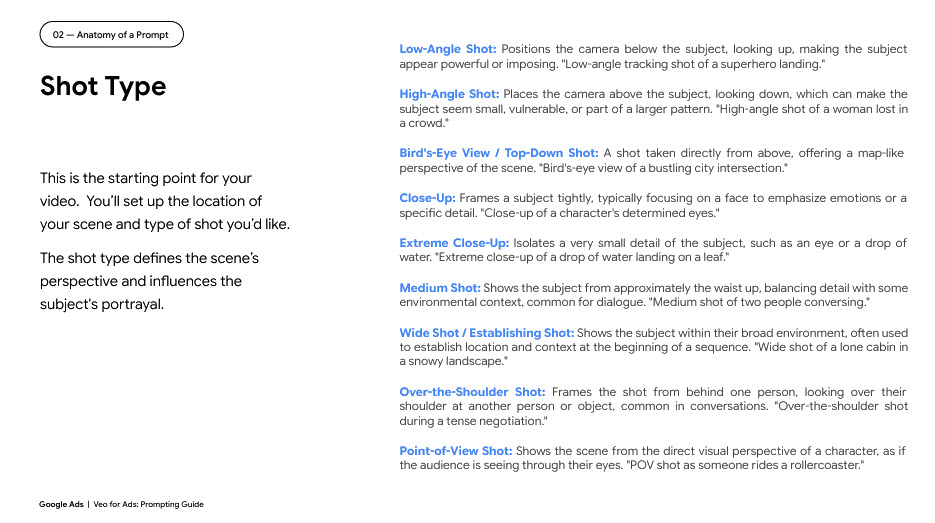
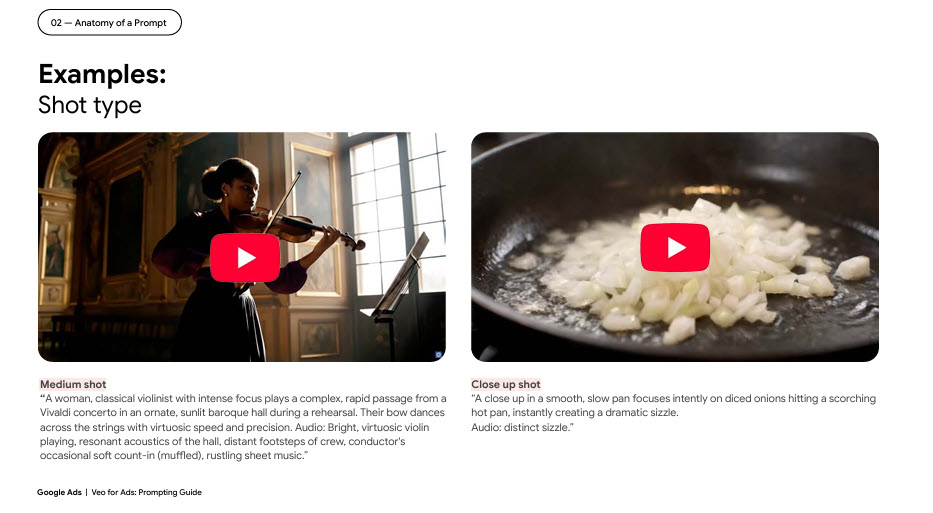
Shot type defines how the audience experiences your ad. Examples include:
- Close-ups for emotional impact
- Wide shots for context
- Low-angle tracking shots for power and momentum
For ads, shot type influences attention, perceived value, and brand authority.
Action: The Core of Engagement
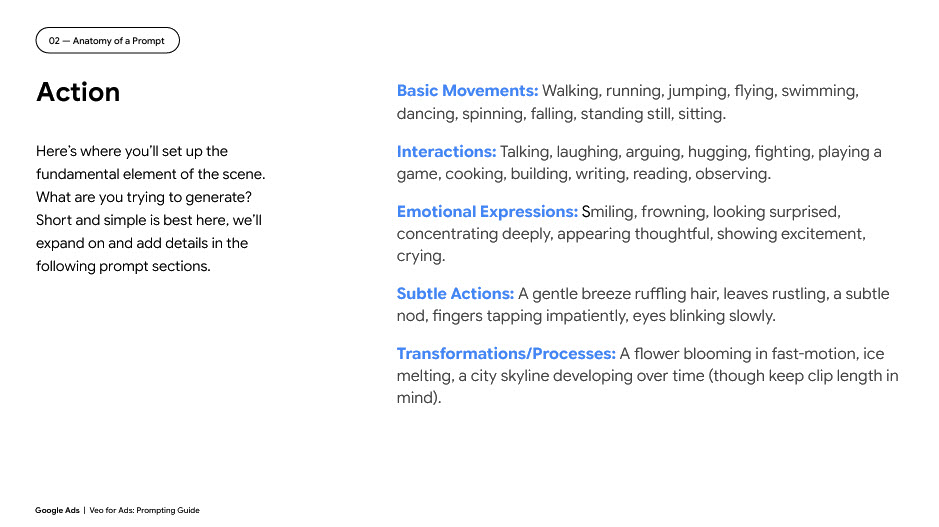
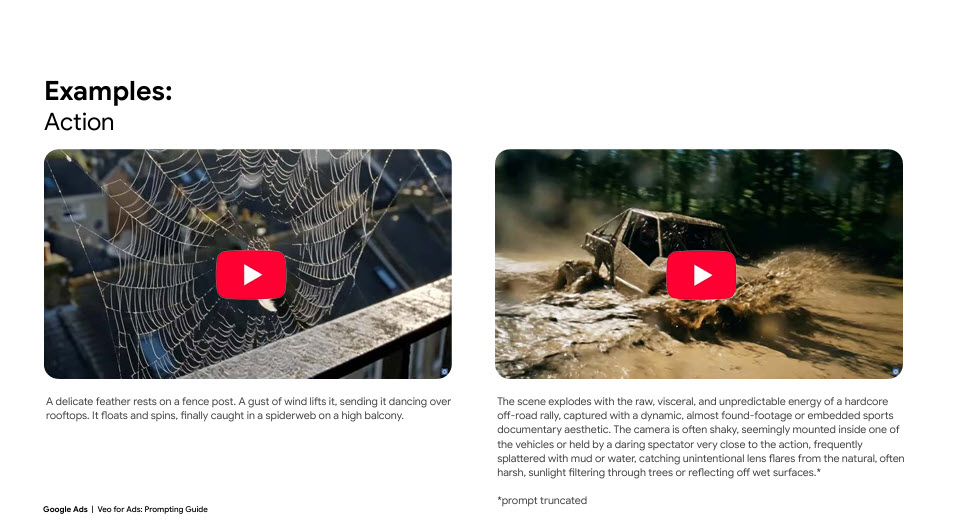
Action answers a simple question: What is happening in the ad?
Strong ad actions are:
- Clear
- Visually interesting
- Easy to understand in seconds
For performance ads, keep the action concise and let other prompt elements add depth.
Setting: Creating Context and Mood
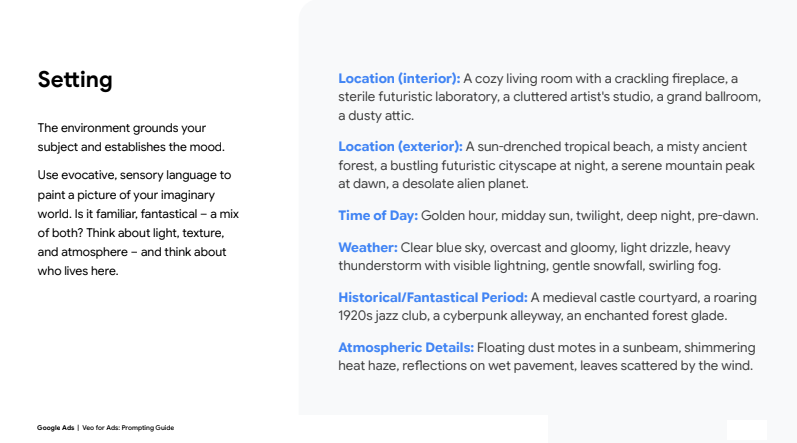
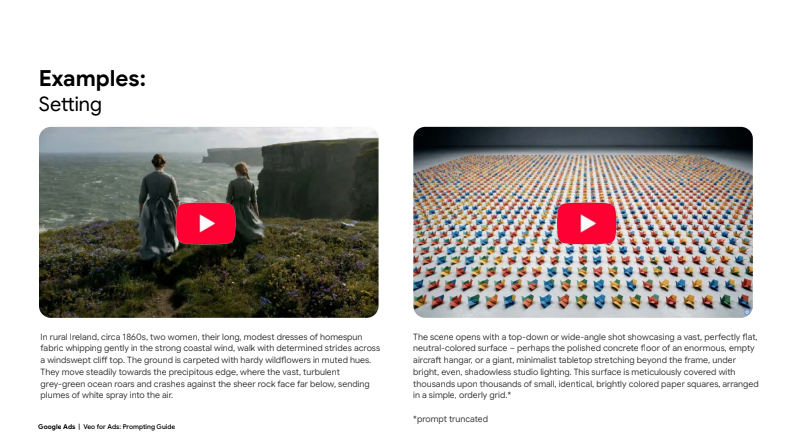
Setting grounds your ad in a believable or aspirational environment. You can define:
- Interior or exterior locations
- Time of day
- Weather
- Atmosphere
- Historical or futuristic context
For advertisers, setting helps position products within a lifestyle narrative.
Characters: Precision Creates Authenticity
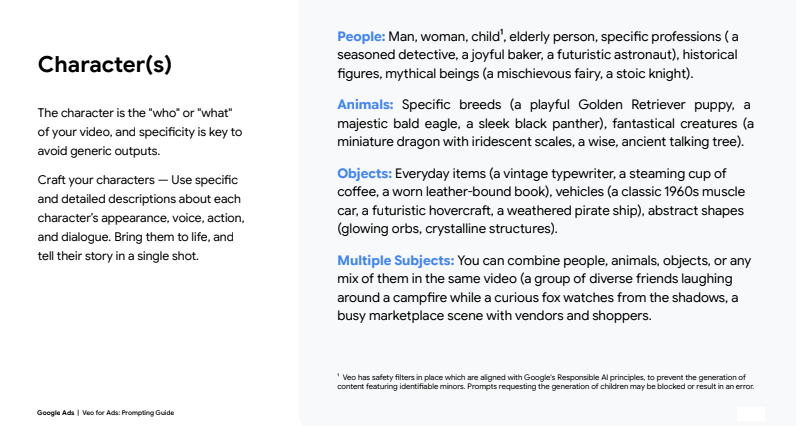
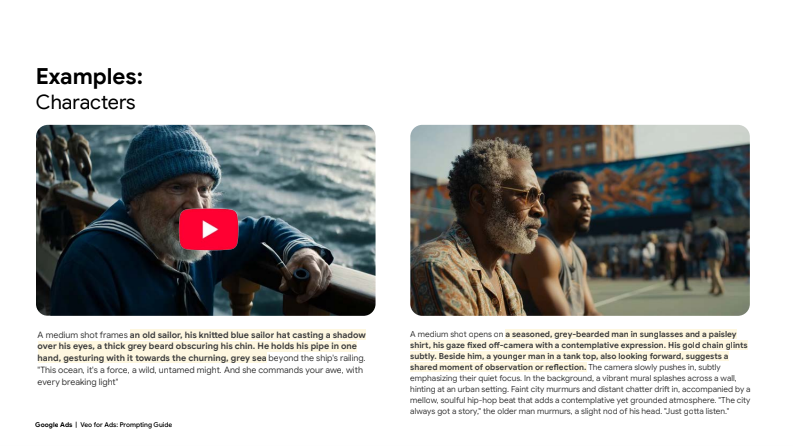

Veo rewards specificity. Instead of “a woman,” define:
- Age range
- Clothing
- Expression
- Movement
- Dialogue (if any)
For recurring campaigns, character consistency can be maintained using reference images and ingredients-to-video workflows.
Camera Movement: Adding Cinematic Energy
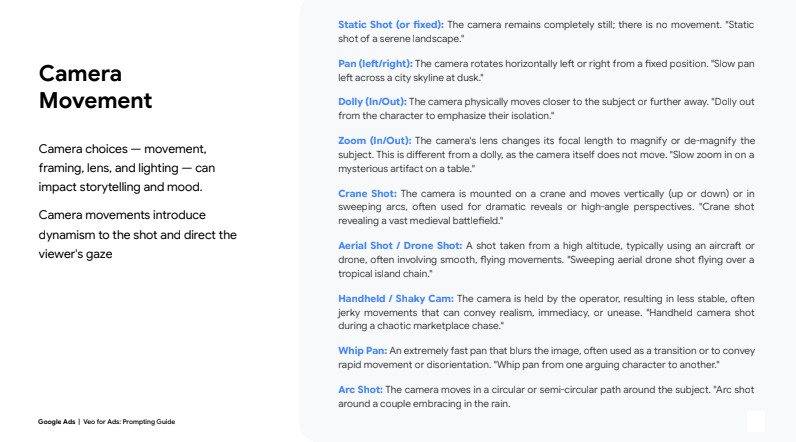
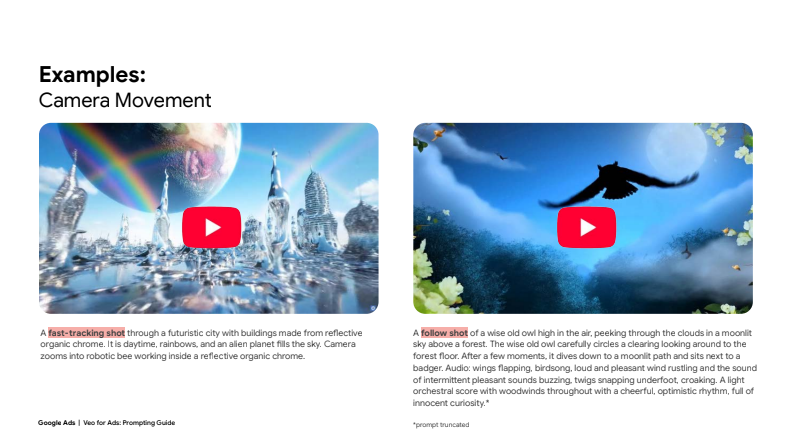
Camera movement guides attention and adds emotion. Options include:
- Dolly shots for intimacy
- Tracking shots for motion-based ads
- Aerial shots for epic brand statements
Thoughtful camera direction increases watch time and ad recall.
Style: Defining Brand Identity
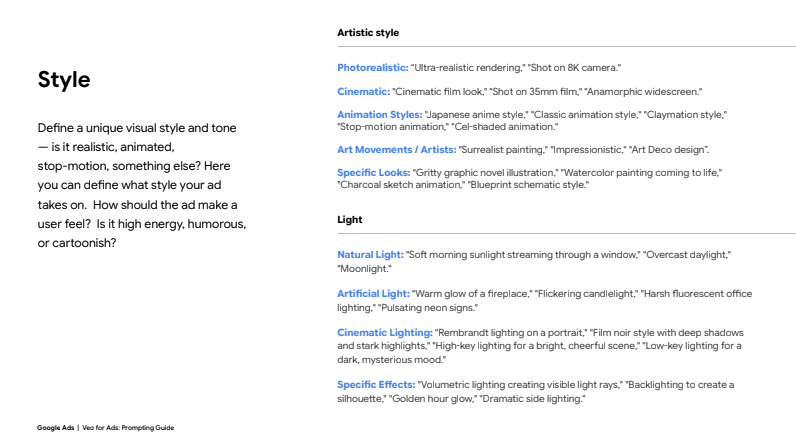
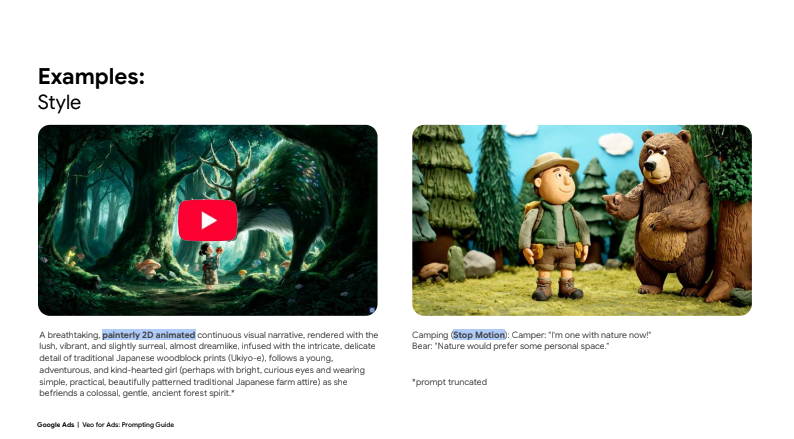
Style controls how the ad feels. Veo supports:
- Photorealistic
- Cinematic film looks
- Animation and stop-motion
- Artistic or illustrative styles
Lighting, color palette, and texture all contribute to how users perceive your brand.
Audio: Completing the Sensory Experience
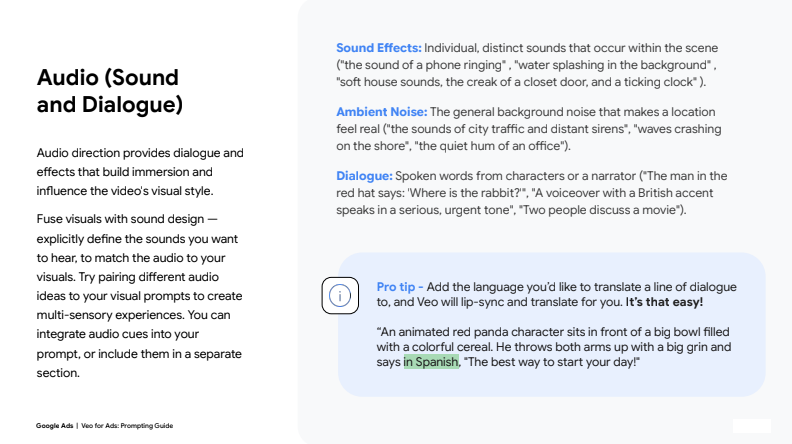
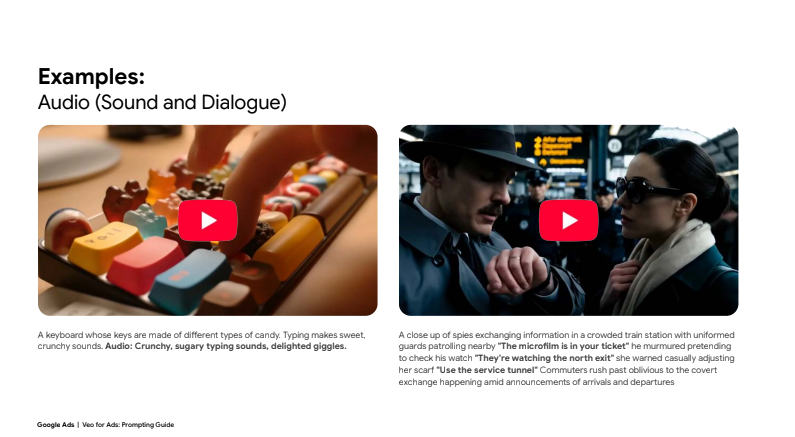
Audio is often overlooked in AI ads—but Veo allows precise sound direction:
- Ambient noise
- Sound effects
- Dialogue or voiceover
- Even translated, lip-synced dialogue
For ads, audio reinforces emotional tone and improves memorability.
Product Shots with Veo: Turning AI into a Sales Tool
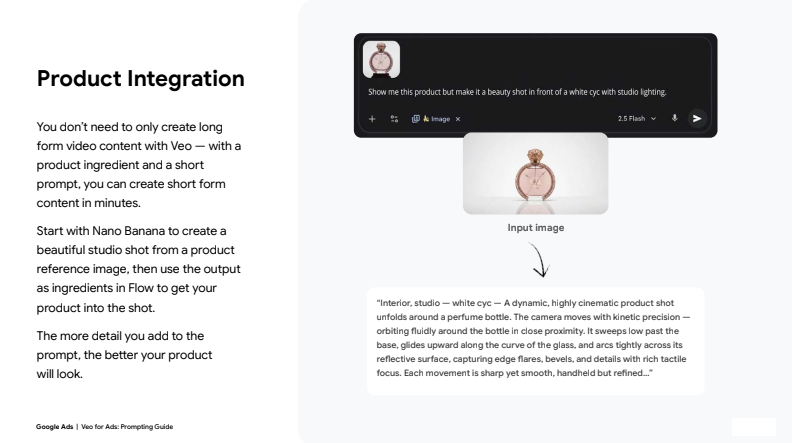
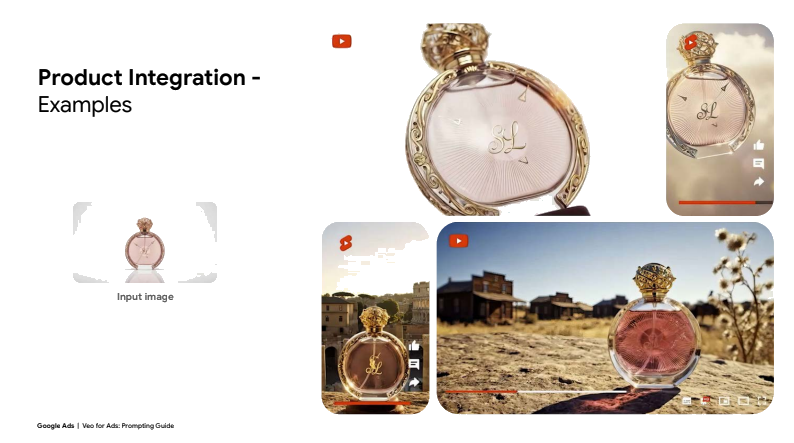
Veo is not limited to storytelling, it excels at product integration. Advertisers can create studio-quality product shots without physical setups by combining Nano Banana (image generation) with Veo video prompts.
Best Practices for Product Ads
- Start with a clean, high-quality product reference image
- Use detailed prompts describing camera motion and lighting
- Keep backgrounds minimal to maintain focus
- Use motion to highlight texture and form
This approach enables fast creation of:
- E-commerce ads
- Social media product videos
- Performance-driven creatives
A/B Testing with Veo AI Video Ads
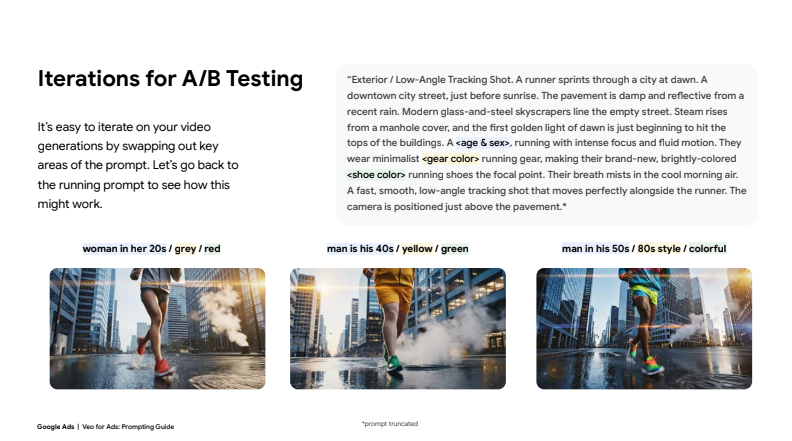
One of Veo’s strongest advantages is rapid iteration. Advertisers can easily swap variables inside a prompt to test:
- Different demographics
- Color palettes
- Camera styles
- Product angles
- Environments
By keeping the prompt structure consistent and changing only one element at a time, marketers can quickly identify which creative drives the best results.
Prompt Templates: Scaling Creativity Without Losing Control
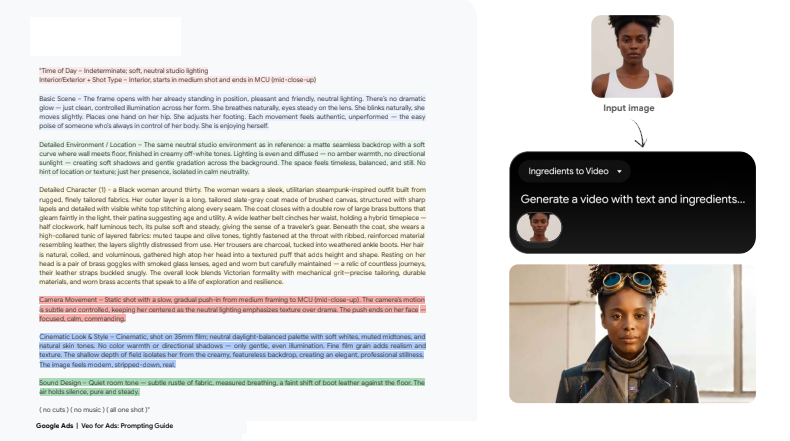
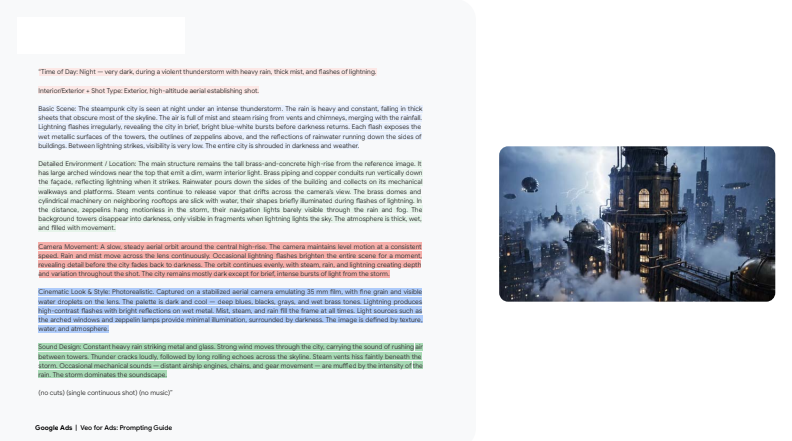
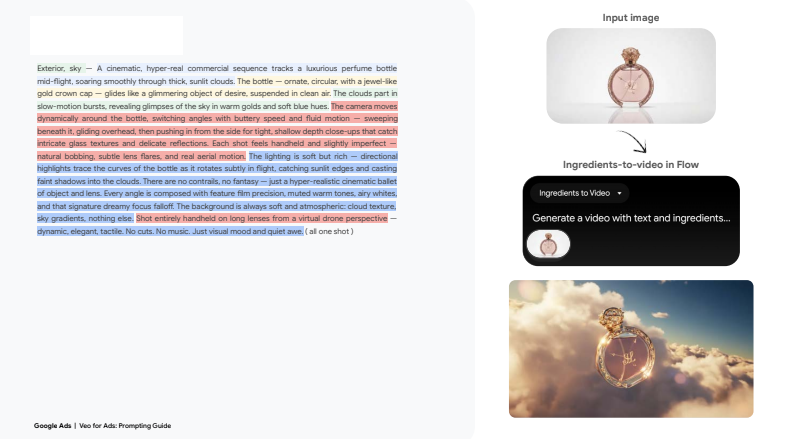
The Veo guide includes detailed prompt templates that act as blueprints for professional-grade ads. These templates ensure:
- Consistency across campaigns
- Faster production
- Reduced creative fatigue
For agencies and brands managing multiple clients, prompt templates are essential for scaling output efficiently.
SEO Benefits of Using Veo AI Video Ads
From an SEO and performance marketing perspective, Veo-generated videos offer:
- Increased engagement metrics
- Higher dwell time
- Better ad relevance scores
- Improved cross-platform consistency
AI video ads can also be repurposed for:
- Landing pages
- YouTube campaigns
- Display networks
- Social media advertising
Frequently Asked Questions (FAQs)
Question: What is Veo AI used for in advertising?
Answer: Veo AI generates cinematic, high-quality video ads from text prompts, images, or reference assets. It allows advertisers to create professional video content quickly and cost-effectively.
Question: Is Veo AI suitable for performance ads?
Answer: Yes. Veo is designed for rapid iteration, A/B testing, and short-form content, making it ideal for performance marketing campaigns.
Question: Do I need video production experience to use Veo?
Answer: No. Veo is built for non-technical users. Following structured prompt templates allows anyone to create high-quality ads.
Question: Can Veo maintain brand and character consistency?
Answer: Yes. By using ingredients-to-video and reference images, Veo ensures consistent characters, products, and styles across campaigns.
Question: Can I create product ads with Veo?
Answer: Absolutely. Veo supports detailed product shots, studio-style visuals, and cinematic product motion.
Question: Does Veo support audio and dialogue?
Answer: Yes. You can specify sound effects, ambient noise, dialogue, and even translated, lip-synced speech.
Question: Is Veo better than traditional video production?
Answer: For speed, scalability, and cost efficiency, yes. Traditional production still has a place, but Veo dramatically lowers the barrier to entry.
Question: Can Veo ads be edited?
Answer: Yes. Flow’s Scenebuilder allows trimming, rearranging, extending clips, and exporting finished ads.
Question: Is Veo suitable for agencies?
Answer: Veo is especially powerful for agencies managing multiple clients, offering scalable creative production without added overhead.
Question: How does Veo help with A/B testing?
Answer: By swapping individual prompt variables, advertisers can test creative elements quickly without re-shooting video.
The Future of Advertising Is AI-Driven
Veo AI Video Creation for Ads represents a major shift in how brands approach video marketing. By combining cinematic control, structured prompting, and rapid iteration, Veo empowers advertisers to produce better ads faster, without sacrificing quality or creativity.
As AI continues to reshape digital marketing, tools like Veo will become essential for brands that want to stay competitive, agile, and visually compelling in an increasingly video-first world.
*This article was originally written by Google. It was edited and rewritten by Organical. You can download the original PDF Here